NEW : Bose open earbuds. Explore
Ultimate Home Cinema Set


-
Supports Dolby Atmos
-
SpeechClarity for enhanced dialogue
-
CleanBass Technology for lows you can feel
-
TrueSpatial Technology for immersive sound
-
HDMI™-eARC connection
Sets
Ultimate Home Cinema Set
Enjoy effortless streaming and cinema-level audio all under one roof with one (1) Lifestyle Ultra Soundbar, five (5) Lifestyle Ultra Speakers and one (1) Lifestyle Ultra Subwoofer. The Lifestyle Ultra Soundbar elevates your listening experience with clear dialogue and Dolby Atmos® immersion while the speakers expand the soundstage for wraparound depth and detail. Plus, this set brings the boom with the Lifestyle Ultra Subwoofer so you can feel everything with deep, powerful bass. With additional Lifestyle Ultra Speakers placed throughout your home, music flows naturally from room to room for a fully connected experience. Designed for simple set-up and flexible control through the Bose app, touch or voice, this system delivers premium room-filling audio for every moment that deserves lush sound.
Price is: $5,269.65
Set includes:

Bose Lifestyle Ultra Soundbar
Built to bring you sound so immersive, you’ll feel like you’re living in it. Dolby Atmos® adds a new level of detail to all your favourite content. Proprietary PhaseGuide speakers project and reflect sound toward you from all directions – even without the use of additional speakers. And QuietPort Technology delivers thunderous bass with stunning depth and clarity, no matter the volume. The result? A listening experience that shatters any perceived limits of a soundbar-only set-up. As part of the Bose Lifestyle Collection, this soundbar can expand into a home cinema set-up. Filling any space with lush, dynamic audio and turning every party or low-key evening into an unforgettable event.
Special price: Reduced price for a limited time. While supplies last.

Bose Lifestyle Ultra Speaker (x2)
Get ready to take every moment from mundane to memorable. It’s powerful enough to drench any space in lush, astonishingly clear audio and versatile enough to expand into a multiroom set-up. It’s the easiest way to enjoy immersive sound in any room – or every room. Use one speaker solo for a powerful, enveloping sound that defies its size. Pair two for a stereo experience so detailed, you’ll swear you’re hearing a familiar song for the first time. Use them in concert with a Lifestyle Ultra Soundbar and Subwoofer for dynamic surround sound. However your needs evolve, this premium speaker is ready to adapt.
Special price: Reduced price for a limited time. While supplies last.
Bose Lifestyle Ultra Speaker (x3)
Get ready to take every moment from mundane to memorable. It’s powerful enough to drench any space in lush, astonishingly clear audio and versatile enough to expand into a multiroom set-up. It’s the easiest way to enjoy immersive sound in any room – or every room. Use one speaker solo for a powerful, enveloping sound that defies its size. Pair two for a stereo experience so detailed, you’ll swear you’re hearing a familiar song for the first time. Use them in concert with a Lifestyle Ultra Soundbar and Subwoofer for dynamic surround sound. However your needs evolve, this premium speaker is ready to adapt.
Special price: Reduced price for a limited time. While supplies last.

Bose Lifestyle Ultra Subwoofer
Our most powerful subwoofer to date pumps out thunderous bass you don’t just hear – you feel. Designed to easily pair with the complete Lifestyle Collection, this subwoofer creates an epic listening experience to your living room and cinematic depth to your home cinema. CleanBass Technology eliminates resonance for deep, clear bass at any volume. And with seamless set-up through the Bose app, you can bring the rumble to your space in minutes. The subwoofer is only compatible with the Lifestyle Ultra Soundbar.
Special price: Reduced price for a limited time. While supplies last.
-
Supports Dolby Atmos
-
SpeechClarity for enhanced dialogue
-
CleanBass Technology for lows you can feel
-
TrueSpatial Technology for immersive sound
-
HDMI™-eARC connection
Ultimate Home Cinema Set
Price is: $5,269.65
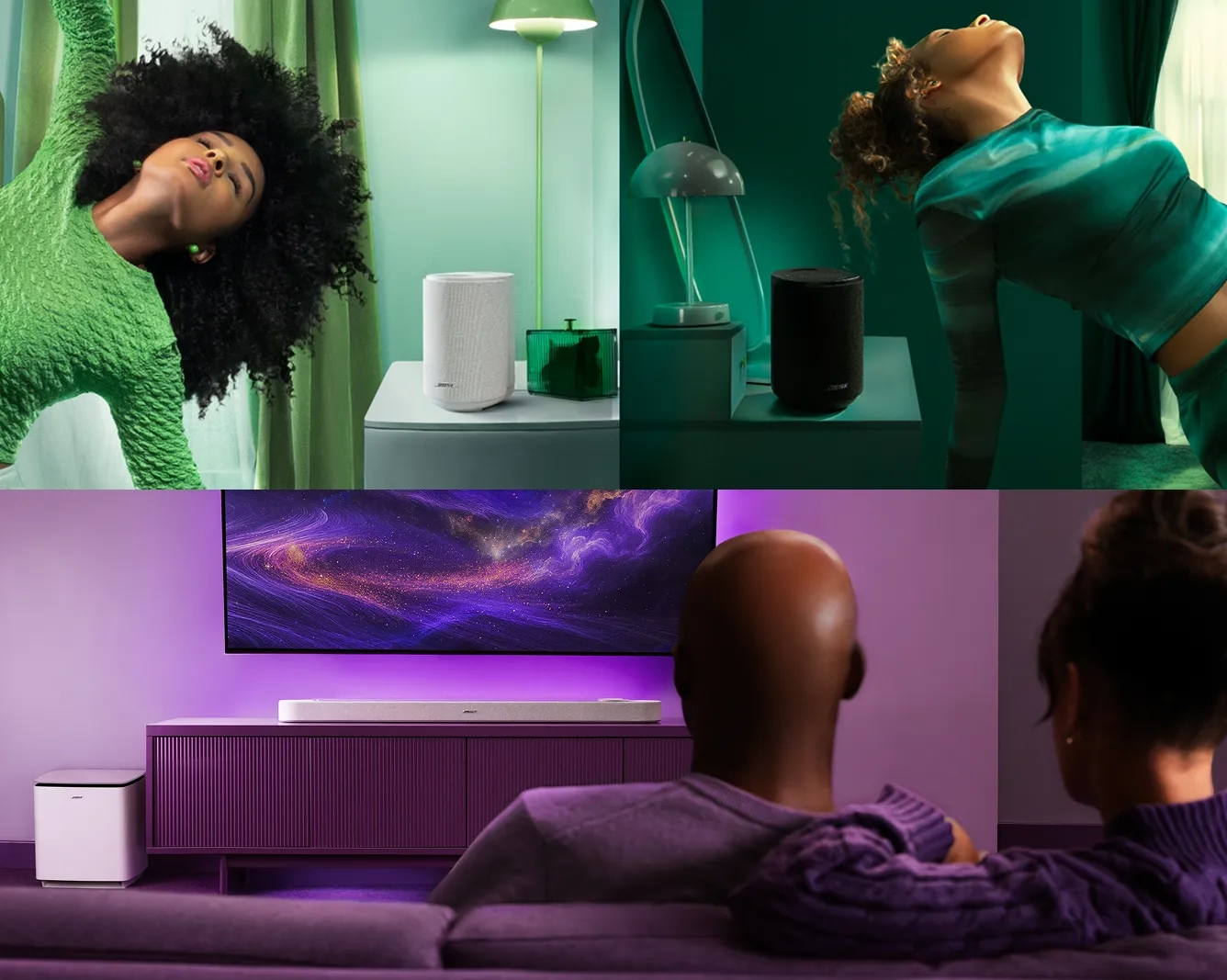
Sound in any and every room
This set is made for homes where sound isn’t confined to one room. Whether you’re cooking in the kitchen, unwinding in the living room or moving from space to space throughout the day, music flows naturally with you. Lifestyle Ultra Speakers placed throughout your home deliver spacious, room-filling sound that stays rich and balanced everywhere you go. With this set, the mood never drops and the moment never breaks. It’s effortless, connected listening designed to feel present wherever you are.
Crafted to complement
With an elevated, inviting modern aesthetic that offers craftsmanship down to the last detail, every product in the Lifestyle Collection effortlessly fits into your interior style. Premium textured knit fabric, seamless construction and screen-free tactile controls come together in a speaker that can stylishly complement any space without becoming the centre of attention. At least until you turn it on.
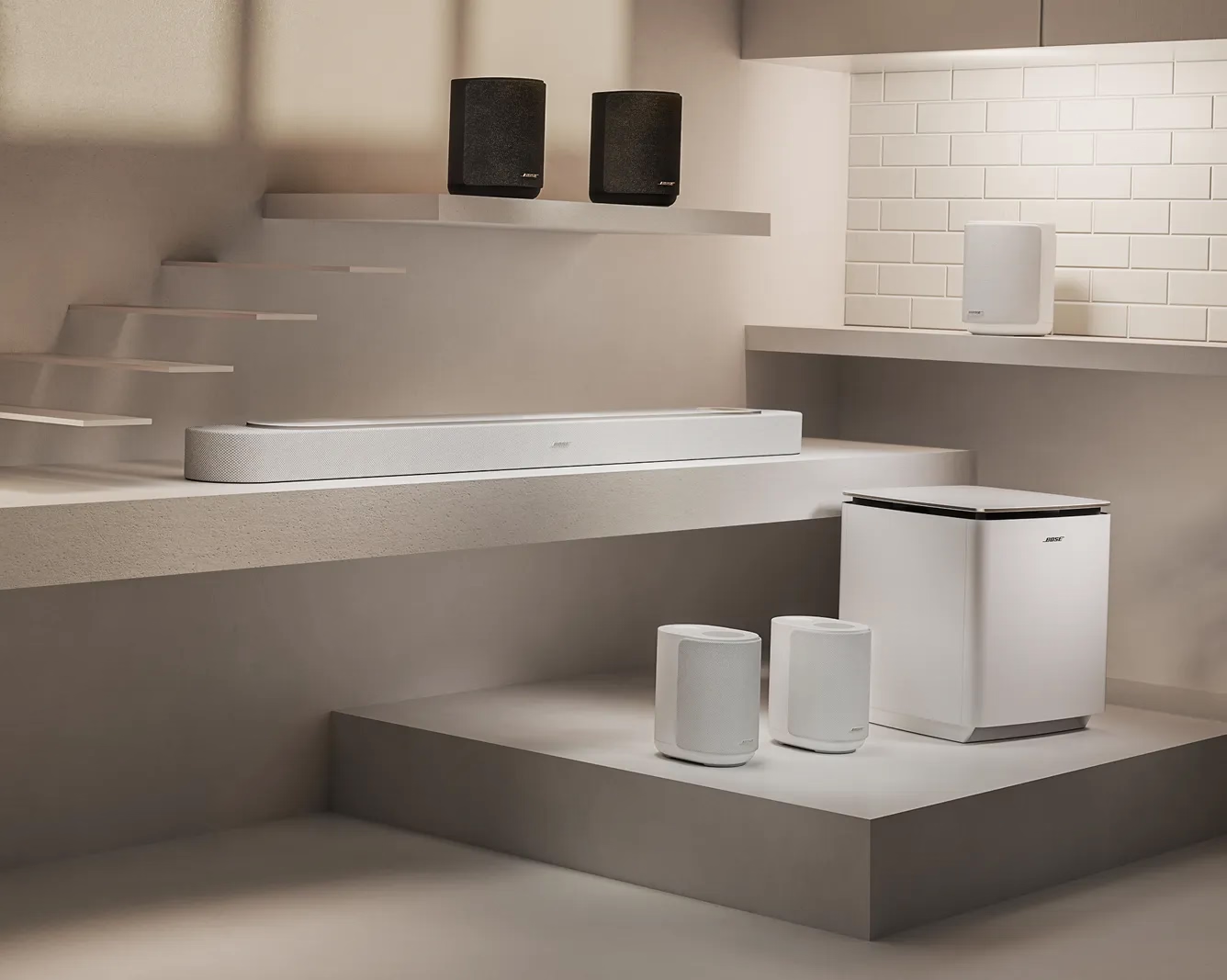
Product details
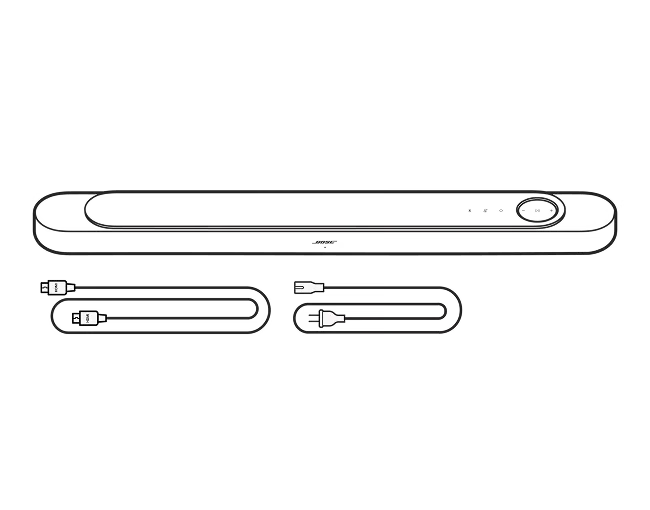
What’s in the box
- Lifestyle Ultra Soundbar
- Power cable
- Quick start guide
- HDMI cable
| Sound Options | 5.1.2 Speakers, Surround Sound Configuration (Optional Accessory), Multi-room |
|---|---|
| Entire Product System | 9.23 cm H x 109.94 cm W x 12.5 cm D (6.69 kg) |
| Speaker | 6.73 cm H x 109.94 cm W x 12.5 cm D (6.5 kg) |
| Product Material | Plastic (PC-ABS), Fabric, Glass Top, Rubber |
| Wireless Connectivity | Apple AirPlay 2, Bluetooth, Bluetooth Low Energy, Wireless Connectivity, Network (WiFi Enabled) |
| Bluetooth Version | 5.3 |
| Bose App | Bose App |
The Bose Lifestyle Ultra Soundbar is our most powerful and immersive soundbar yet. It builds on the previous Bose Smart Ultra Soundbar with a wider soundstage, deeper and fuller bass, and greater overall clarity.
SpeechClarity Technology gives you adjustable speech enhancement, so dialogue stays clear without losing the atmosphere of what’s on screen. When paired with compatible surround speakers and subwoofers, the Lifestyle Ultra Soundbar supports true 7.1.4-channel audio and Dolby Atmos decoding for a fully immersive experience.
The updated CustomTune tech uses your iOS or Android device to optimise the sound of your Lifestyle Collection system to your room’s acoustics, delivering the best sound performance for both music and films.
The Lifestyle Ultra Soundbar supports Amazon Alexa and is ready for Alexa+ in the US. Follow the instructions in the Bose app to enable Amazon Alexa services. Once enabled, you can mute the mic via the soundbar mic mute button, a red light will stay on. Tap again to unmute the microphone and the light will go off.
The Lifestyle Ultra Soundbar includes a high-speed Ethernet HDMI cable (to support either ARC or eARC audio), and power cable(s). The Lifestyle Ultra Soundbar connects to your TV over HDMI eARC (enhanced Audio Return Channel) and uses CEC (Consumer Electronics Control) to control power and volume states on the soundbar via your TV or connected device remote. As a result, the box does not include an IR remote.
Yes. We recommend the Bose Soundbar Wall Bracket (sold separately). When using the wall bracket, leave at least 10 cm (4 inches) of space between the soundbar and the TV. We highly recommend running the CustomTune tech process to optimise your sound when mounting the Lifestyle Ultra Soundbar to the wall. We do not recommend mounting the soundbar above your TV.
The Lifestyle Ultra Soundbar works best centred under your TV using the Bose Soundbar Wall Bracket (sold separately) or placed on a flat, stable, and level surface.
We recommend placing the soundbar near the front of your cabinet/mantle. Do not place the soundbar inside a shelf where the top or sides will be obstructed as this will significantly impact your soundbar’s performance.
When using the Bose Soundbar Wall Bracket, leave at least 10 cm (4 inches) of space between the soundbar and the TV. We do not recommend mounting the soundbar above your TV.
The Lifestyle Ultra Soundbar is not rated for outdoor use.
The Lifestyle Ultra Soundbar connects to your TV over HDMI eARC (enhanced Audio Return Channel) and uses CEC to control power and volume states on the soundbar via your TV or connected device remote. If your TV supports eARC or ARC, you’ll see one of your HDMI ports labelled for it and this is the port you must use with your soundbar.
HDMI ARC (Audio Return Channel) support is also available; however, ARC does not support lossless formats and the Dolby audio formats supported over ARC vary based on TV manufacturer and model. For this reason, eARC is recommended to get the most out of your Lifestyle Ultra Soundbar.
The primary way to connect to the Lifestyle Ultra Soundbar is with HDMI. For music streaming, you can also use Wi-Fi options like Apple AirPlay, Google Cast or Spotify Connect, or using your voice with Amazon Alexa (where available). Apple AirPlay and Spotify Connect are available immediately after Wi-Fi set-up. To get started with Google Cast, you will need to open the Bose app and turn on Google Cast for each product. To get started with Amazon Alexa, you will need to open the Bose app and enable Amazon Alexa for each product.
Learn more about wireless options:
Apple AirPlay>, Google Cast>, Spotify Connect>
The Lifestyle Ultra Soundbar is compatible with a pair of Lifestyle Ultra Speakers. The Lifestyle Ultra Soundbar is not compatible with prior generation Bose Surround Speakers or Bose Surround Speakers 700.
The Lifestyle Ultra Soundbar is compatible with the Lifestyle Ultra Subwoofer both wirelessly and wired (sold separately). Alternatively, a Bose Bass Module 700 can be connected via wire (sold separately).
No. The Lifestyle Collection is designed to fit into your life, so you can create your own set-up all at once, or piece by piece. You can add a Lifestyle Ultra Subwoofer or Lifestyle Ultra Speakers to your Lifestyle Ultra Soundbar at any time.
Yes. The Lifestyle Collection products can be grouped as part of a multiroom audio system using Apple AirPlay or Google Cast. To get started with Google Cast, open the Bose app and turn on Google Cast for each product.
No. The Lifestyle Ultra Soundbar supports Dolby Atmos decoding and playback as a standalone soundbar, using true upward-firing height speakers and proprietary PhaseGuide speakers to virtually place speakers around you. No soundbar can truly replicate sounds behind you, so connect a pair of Lifestyle Ultra Speakers for a full wraparound experience.
Yes. The Lifestyle Collection supports Bose CustomTune Technology, which is built upon Bose ADAPTiQ audio calibration technology, to create the most optimal sound for your listening space. CustomTune tech calibrates your phone’s microphone to act as a reference mic, then plays sounds out of the soundbar to tune the response to your room. To use CustomTune Technology, follow the prompts in the Bose app. The process is compatible with most iOS and Android mobile devices.
The Lifestyle Collection automatically updates when connected to your home network. When an internet connection is available, your Lifestyle Ultra Soundbar will download and install the latest software overnight while the product is not in use.
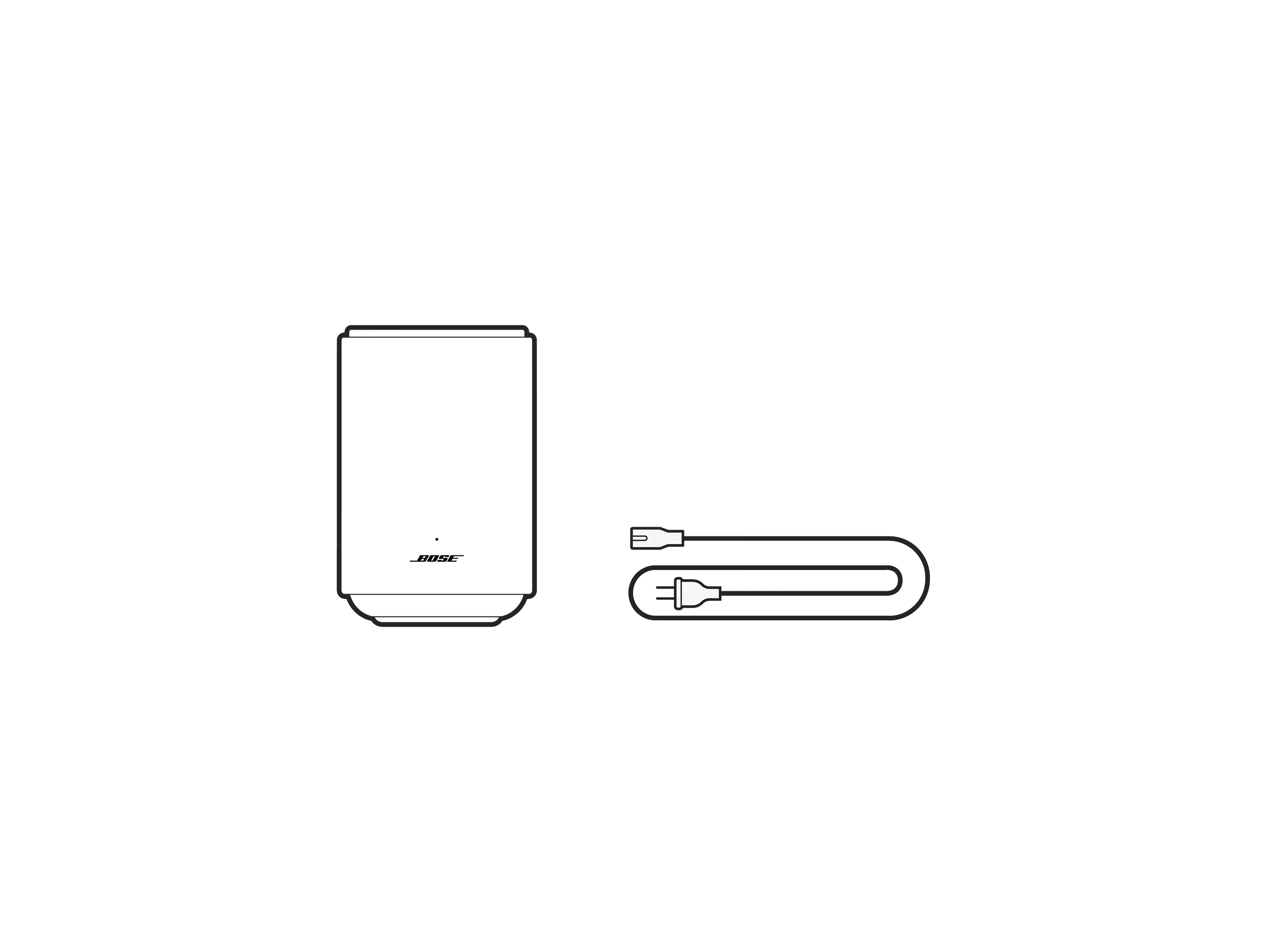
What’s in the box
- Lifestyle Ultra Speaker
- Power cable
- Quick start guide
| Sound Options | Multi-room, Stereo Mode (When Enabling Two Speakers), Surround Sound Configuration |
|---|---|
| Audio cable included | No |
| Entire Product System | 18.47 cm H x 12.11 cm W x 16.75 cm D (1.66 kg) |
| Product Material | Plastic (PC-ABS), Fabric, Rubber |
| Wireless Connectivity | Apple AirPlay 2, Bluetooth, Bluetooth Low Energy, Wireless Connectivity, Network (WiFi Enabled) |
| Bluetooth Version | 5.3 |
| Bose App | Bose App |
The Lifestyle Ultra Speaker is incredibly flexible but works best when it has space around it on a flat, stable, and level surface. It can also be used with the Bose Lifestyle Floor Stand or Bose Lifestyle Wall Bracket.
It is recommended to place the Lifestyle Ultra Speaker at least 5 cm away from a wall or corner to prevent unintended bass frequency build-up. To get the most from your Lifestyle Ultra Speaker, do not place it in or under a shelf/cabinet, as this will prevent the upward-firing speaker from spreading out into the room and significantly impact your speaker’s performance.
When using the Bose Lifestyle Wall Bracket, it is recommended to mount the top of the bracket at or just above ear height of your listening position and angle the speaker into your listening position. The speaker may be mounted higher and angled down; however, it is recommended to leave at least 61 cm between the top of the speaker and the ceiling to maintain the separation of surround and height effects. It is highly recommended to run the CustomTune process to optimise your sound when mounting the Lifestyle Ultra Speakers as part of your home cinema set-up.
The Lifestyle Ultra Speaker is not rated for outdoor use.
The primary way to connect to the Lifestyle Ultra Speaker is via Wi-Fi options like Apple AirPlay, Google Cast, Spotify Connect, or Amazon Alexa (where available). Apple AirPlay and Spotify Connect are available immediately after Wi-Fi set-up. To get started with Google Cast, you will need to open the Bose app and turn on Google Cast for each product. To get started with Amazon Alexa, you will need to open the Bose app and enable Amazon Alexa for each product. Bluetooth audio and a 3.5 mm aux input are also available.
Learn more about wireless options:
Apple AirPlay>, Google Cast>, Spotify Connect>
The Lifestyle Ultra Speaker supports Amazon Alexa and is ready for Alexa+ in the US. Follow the instructions in the Bose app to enable Amazon Alexa services. Once enabled, you can mute the mic using the speaker’s mic mute button, a red light will stay on. Tap again to unmute the microphone and the light will go off.
Yes. The Lifestyle Collection products can be grouped as part of a multiroom audio system using Apple AirPlay or Google Cast. To get started with Google Cast, open the Bose app and turn on Google Cast for each product.
Yes. Two Lifestyle Ultra Speakers can be configured as a stereo pair in the Bose app to create a wide, immersive soundstage. If setting up two new Lifestyle Ultra Speakers as a stereo pair, select the stereo pair option in the app during set-up of the first speaker to minimise steps later.
The Lifestyle Ultra Speaker is not designed to work with your TV by itself but a set of two can be used as surround speakers with a Lifestyle Ultra Soundbar as part of a home cinema configuration. It is not recommended to use the Lifestyle Ultra Speaker with a TV using Bluetooth or a 3.5 mm aux line input due to latency/lip sync issues.
They are only compatible with the Lifestyle Ultra Soundbar.
The Lifestyle Ultra Speakers can be configured as surround speakers for the Lifestyle Ultra Soundbar via the Bose app to create a full wrap-around, immersive soundstage. If setting up two new Lifestyle Ultra Speakers as surround speakers at the same time as a Lifestyle Ultra Soundbar, start with the soundbar first or select the Home Cinema option in the app during set-up to minimise steps later.
No. The Lifestyle Collection is designed to fit into your life, so you can create your own set-up all at once, or piece by piece. You can add a pair of Lifestyle Ultra Speakers to your Lifestyle Ultra Soundbar at any time.
Yes. You can connect a source device via the 3.5 mm aux input at the rear of the speaker. To switch to the aux source, press and hold the play/pause button. The aux source can also be used with two Lifestyle Ultra Speakers configured in a stereo pair.
For music streaming over Bluetooth or Wi-Fi, use your music service provider app to play/pause, skip, and adjust the volume. You can also use the speaker buttons or voice control (if enabled).
For music via a 3.5 mm aux input, you may need to set the output volume on your source device to prevent your Lifestyle Ultra Speaker from distorting. Play/pause and skip must be done using your source device, but you can use the Bose app, speaker controls, or voice control to adjust the volume of content played over the 3.5 mm aux input.
The Lifestyle Collection automatically updates when connected to your home network. When an internet connection is available, your Lifestyle Ultra Speaker will download and install the latest software overnight while the product is not in use.
What’s in the box
- Lifestyle Ultra Speaker
- Power cable
- Quick start guide
| Sound Options | Multi-room, Stereo Mode (When Enabling Two Speakers), Surround Sound Configuration |
|---|---|
| Audio cable included | No |
| Entire Product System | 18.47 cm H x 12.11 cm W x 16.75 cm D (1.66 kg) |
| Product Material | Plastic (PC-ABS), Fabric, Rubber |
| Wireless Connectivity | Apple AirPlay 2, Bluetooth, Bluetooth Low Energy, Wireless Connectivity, Network (WiFi Enabled) |
| Bluetooth Version | 5.3 |
| Bose App | Bose App |
The Lifestyle Ultra Speaker is incredibly flexible but works best when it has space around it on a flat, stable, and level surface. It can also be used with the Bose Lifestyle Floor Stand or Bose Lifestyle Wall Bracket.
It is recommended to place the Lifestyle Ultra Speaker at least 5 cm away from a wall or corner to prevent unintended bass frequency build-up. To get the most from your Lifestyle Ultra Speaker, do not place it in or under a shelf/cabinet, as this will prevent the upward-firing speaker from spreading out into the room and significantly impact your speaker’s performance.
When using the Bose Lifestyle Wall Bracket, it is recommended to mount the top of the bracket at or just above ear height of your listening position and angle the speaker into your listening position. The speaker may be mounted higher and angled down; however, it is recommended to leave at least 61 cm between the top of the speaker and the ceiling to maintain the separation of surround and height effects. It is highly recommended to run the CustomTune process to optimise your sound when mounting the Lifestyle Ultra Speakers as part of your home cinema set-up.
The Lifestyle Ultra Speaker is not rated for outdoor use.
The primary way to connect to the Lifestyle Ultra Speaker is via Wi-Fi options like Apple AirPlay, Google Cast, Spotify Connect, or Amazon Alexa (where available). Apple AirPlay and Spotify Connect are available immediately after Wi-Fi set-up. To get started with Google Cast, you will need to open the Bose app and turn on Google Cast for each product. To get started with Amazon Alexa, you will need to open the Bose app and enable Amazon Alexa for each product. Bluetooth audio and a 3.5 mm aux input are also available.
Learn more about wireless options:
Apple AirPlay>, Google Cast>, Spotify Connect>
The Lifestyle Ultra Speaker supports Amazon Alexa and is ready for Alexa+ in the US. Follow the instructions in the Bose app to enable Amazon Alexa services. Once enabled, you can mute the mic using the speaker’s mic mute button, a red light will stay on. Tap again to unmute the microphone and the light will go off.
Yes. The Lifestyle Collection products can be grouped as part of a multiroom audio system using Apple AirPlay or Google Cast. To get started with Google Cast, open the Bose app and turn on Google Cast for each product.
Yes. Two Lifestyle Ultra Speakers can be configured as a stereo pair in the Bose app to create a wide, immersive soundstage. If setting up two new Lifestyle Ultra Speakers as a stereo pair, select the stereo pair option in the app during set-up of the first speaker to minimise steps later.
The Lifestyle Ultra Speaker is not designed to work with your TV by itself but a set of two can be used as surround speakers with a Lifestyle Ultra Soundbar as part of a home cinema configuration. It is not recommended to use the Lifestyle Ultra Speaker with a TV using Bluetooth or a 3.5 mm aux line input due to latency/lip sync issues.
They are only compatible with the Lifestyle Ultra Soundbar.
The Lifestyle Ultra Speakers can be configured as surround speakers for the Lifestyle Ultra Soundbar via the Bose app to create a full wrap-around, immersive soundstage. If setting up two new Lifestyle Ultra Speakers as surround speakers at the same time as a Lifestyle Ultra Soundbar, start with the soundbar first or select the Home Cinema option in the app during set-up to minimise steps later.
No. The Lifestyle Collection is designed to fit into your life, so you can create your own set-up all at once, or piece by piece. You can add a pair of Lifestyle Ultra Speakers to your Lifestyle Ultra Soundbar at any time.
Yes. You can connect a source device via the 3.5 mm aux input at the rear of the speaker. To switch to the aux source, press and hold the play/pause button. The aux source can also be used with two Lifestyle Ultra Speakers configured in a stereo pair.
For music streaming over Bluetooth or Wi-Fi, use your music service provider app to play/pause, skip, and adjust the volume. You can also use the speaker buttons or voice control (if enabled).
For music via a 3.5 mm aux input, you may need to set the output volume on your source device to prevent your Lifestyle Ultra Speaker from distorting. Play/pause and skip must be done using your source device, but you can use the Bose app, speaker controls, or voice control to adjust the volume of content played over the 3.5 mm aux input.
The Lifestyle Collection automatically updates when connected to your home network. When an internet connection is available, your Lifestyle Ultra Speaker will download and install the latest software overnight while the product is not in use.
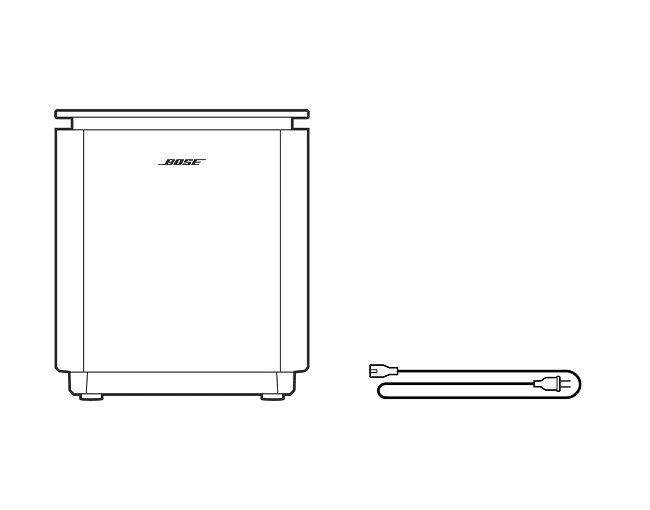
What’s in the box
- Lifestyle Ultra Subwoofer
- Power cable
- Quick start guide
| Entire Product System | 32.68 cm H x 29.47 cm W x 29.47 cm D (15.3 kg) |
|---|---|
| Product Material | Plastic (PC-ABS), Glass |
| Wireless Connectivity | Wireless Connectivity |
| Bose App | Bose App |
A dedicated subwoofer provides deeper, more powerful bass for music and low frequency effects (LFE), such as rumbles and explosions in films. These low frequencies create the impact you can feel, so it’s like you’re part of the action – or moved by the music.
When paired with the Bose Lifestyle Ultra Soundbar, the Bose Lifestyle Ultra Subwoofer extends low-frequency depth and output while taking over the deepest bass from the soundbar, giving it more headroom. This allows the soundbar to focus on mids and highs for clearer dialogue and a more open, detailed sound.
The Bose Lifestyle Ultra Subwoofer uses the same acoustic package as the Bose Bass Module 700. The Lifestyle Ultra Subwoofer has been updated with new radios to provide a more stable and reliable connection to compatible products and has been lightly retuned to provide a clearer soundstage when used with a Lifestyle Ultra Soundbar.
No. The Lifestyle Collection is designed to fit into your life, so you can create your own set-up all at once, or piece by piece. You can add a Lifestyle Ultra Subwoofer to your Lifestyle Ultra Soundbar at any time.
For the best sound quality, the Lifestyle Ultra Subwoofer should be placed on the floor against the same wall as the television and soundbar, with an electrical outlet nearby for the power cable. The subwoofer should not be placed on a shelf or table. For more bass, the subwoofer should be placed closer to walls and corners. For less bass, the subwoofer should be placed further away from walls and corners.
It is not recommended to place the subwoofer in or behind furniture, as this may impact its performance.
Using CustomTune Technology with your Lifestyle Ultra Soundbar will help optimise the subwoofer sound for your listening position and space.
The Lifestyle Ultra Subwoofer is not rated for outdoor use.
To wirelessly connect a Lifestyle Ultra Subwoofer to your Lifestyle Ultra Soundbar, power on your subwoofer, open the Bose app, select your Lifestyle Ultra Soundbar, tap the Settings gear, then select “Home Cinema Set-Up”. Follow the prompts onscreen to complete the Home Cinema Set-Up.
Optionally, you can hardwire your subwoofer to your soundbar using a 3.5 mm cable (sold separately). All you need to do is power on your subwoofer and connect the cable to the “Bass” jack on the soundbar. The soundbar will automatically adjust to sending the bass content to the subwoofer.
We recommend running the CustomTune process after you have finished setting up your home cinema configuration.
The Lifestyle Ultra Soundbar and Lifestyle Ultra Subwoofer are designed to be used in the same room, and have a range of about 9 m (approximately 30 ft).
Lifestyle Collection
An immersive family of home speakers built for any room and every space where sound matters.
Colour availability may vary by region.
For Australia customers: View the minimum defined security support period of this product.
Why buy from Bose
-
30-day return policy
Try it for 30 days to make sure it’s right for you.
-
Price match promise
Shop confidently. We’ll match a lower price.
-
Complimentary delivery
On all in-stock orders of $89 or more.
-
My Bose perks
My Bose members receive exclusive offers, experiences and more.
Product Added to cart Extended warranty modal
Protect your Bose with an extended warranty plan
