LIMITED TIME ONLY: Free gift with purchase of selected products. SHOP
BUNDLE OFFER Bose Ultra Sound Bundle

Bose Ultra Sound Bundle

Current Price $1,034.95
Original Price $1,149.90

Change pick up location

Bose Bundles
Buy one and get your second item 10% off with Bose Bundles.
WHY BUY DIRECT FROM BOSE
・FREE DELIVERY (orders of $79 or more) & FREE RETURNS
・PRICE MATCH PROMISE
・90-DAY RISK FREE TRIAL

Overview

A best-in-class bundle

Whether you want to gift the world-class noise cancelling and spatialised audio of our premium over-ear headphones, or the rich, private sound with full awareness of our innovative open-ear style earbuds, this set has you covered. Go for our next-gen QuietComfort Ultra Headphones so they can sink deep into their music, block out the world, or experience their favourite video content like never before with Cinema Mode. For situations that require full awareness, Ultra Open Earbuds will leave their ears open to the world while still delivering high-quality audio that they can easily turn on and off with simple, satisfying button controls. This set offers the best of both worlds, so the recipient can enjoy audio their way, every day.

Specs

Bose QuietComfort Ultra Headphones (2nd Gen)

Bose QuietComfort Ultra Headphones (2nd Gen), Carry case, 3.5 mm to 2.5 mm audio cable and USB-C (C to C) cable.

What’s in the box

  • Bose QuietComfort Ultra Headphones (2nd Gen)
  • Carry case
  • 3.5 mm to 2.5 mm audio cable
  • USB-C® (C to C) cable (1 m)
  • Safety sheet

  • Headphone:19.5 cm H x 13.9 cm W x 5.08 cm D (0.25 kg)
  • Carry case:21.1 cm H x 15.7 cm W x 6.1 cm D (0.2 kg)

  • Aluminium, Leather (synthetic polyurethane), Plastic

  • Battery life: Up to 30 hours¹
  • Battery charging time: Up to 3 hours²
  • Quick 15-minute charge: For up to 2.5 hours²
  • Battery charge method: USB-C

¹ Testing conducted by Bose in April 2025 using production-representative Bose QuietComfort Ultra Headphones and a variety of music tracks using A2DP Bluetooth audio streaming at RSSI signal strength of 75dBm. Volume set to a playback loudness of 75 dB, 3-band EQ set to zero, in Quiet Mode (full noise cancellation). With Immersive Audio off, playback time was up to 24 hours before battery depletion. With Immersive Audio on, playback time was up to 18 hours before battery depletion. Battery life varies based on settings and usage.

² Testing conducted by Bose in April 2025 using production-representative Bose QuietComfort Ultra Headphones. Quick charge testing consisted of charging headphones with battery depleted (to the point of no audio playback) for 15 minutes, then resuming audio playback with volume set to a playback loudness of 75 dB, 3-band EQ set to zero, in Quiet Mode (full noise cancellation) with Immersive Audio switched off, resulting in up to 2.5 hours of playback time before battery depletion. With Immersive Audio on, playback time was up to 2 hours before battery depletion. Time to achieve fully charged headphones was determined by charging headphones with battery depleted (to the point of no audio playback) to 100% battery charge.

  • Built-in microphones

  • Bluetooth range: Up to 9 m (30 ft)
  • Bluetooth version: 5.4
  • Codecs: Low Complexity Subband Coding (SBC) and Advanced Audio Coding (AAC)

  • USB-C on the headphone side
  • USB-C on the source side (but a C–A cable would also work with an A-capable source)
  • 2.5-mm audio cable for the headphone side and a standard 3.5-mm jack for the device side

  • Touch: Volume, skip track, phone calls, customisable shortcut
  • Buttons: Listening modes
  • Bose app
  • Siri

Bose Ultra Open Earbuds

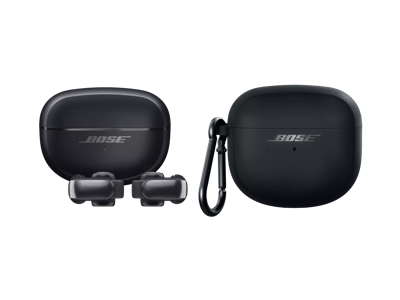
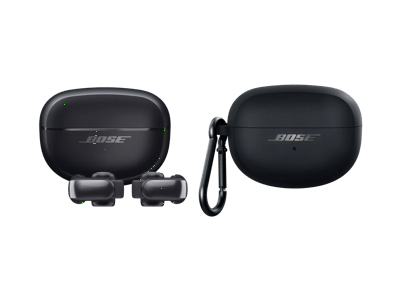
Bose Ultra Open Earbuds, Charging Case and USB-C cable

What’s in the box

  • 2 Bose Ultra Open Earbuds
  • Charging case
  • USB-C® (A to C) cable (12")
  • Quick Start Guide
  • Safety sheet

  • Earbuds:1.9 cm H x 1.7 cm W x 2.7 cm D
  • Charging case:4.2 cm H x 6.5 cm W x 2.6 cm D
  • USB cable:30.5 cm

  • Earbuds: Flexible silicone, plastic, metallic finish, gold plating, sweat and water resistant (IPX4)
  • Case: Plastic (Hard)

  • Battery life: Up to 7 hours¹
  • Earbud charge time: Up to 1 hour
  • Charging case charge time: Up to 3 hours
  • Quick-charge time: 10 minutes for up to 2 hours
  • Battery charge method: USB-C
  • Battery type (earbud): Lithium-ion
  • Battery type (case): Lithium-ion

  • Four mics (two on each bud)

  • Up to 9 metres
  • Bluetooth version: 5.3
  • bvseo_sdk, java_sdk, bvseo-2.2.0.4
  • getReviews, method:CLOUD, 0ms
  • REVIEWS, PRODUCT
  • bvseo-msg: The resource to the URL or file is currently unavailable.;

FAQs

Bose QuietComfort Ultra Headphones (2nd Gen)

What is USB audio?

USB audio allows you to listen to your audio source through a USB-C wired connection, offering a digital and “lossless” audio quality; hear exactly what was created without any loss of the original data. This is particularly useful for USB-C source devices such as computers or mobile devices when gaming or listening to lossless audio files. Over a USB-C connection using USB audio, the QuietComfort Ultra Headphones (2nd Gen) can receive audio signals at 16-bit, 44.1kHz or 48kHz from compatible source files. 

What is ActiveSense technology and how does it work?

In Aware Mode, when ActiveSense is enabled, your headphones will automatically activate and adjust noise cancellation in response to your environment’s noise level in order to keep your surrounding noise levels more constant. This way, you can remain aware of your surroundings without having your music drowned out by interruptions like loud appliance motor noises such as a coffee grinder or blender. ActiveSense can be enabled and disabled in the Aware mode setting. 

What controls do QuietComfort Ultra Headphones (2nd Gen) have?

QuietComfort Ultra Headphones (2nd Gen) have three control inputs on the right earcup: a Bluetooth/power button at the bottom, a multi-function button in the back and a capacitive volume/shortcut-activation strip along the back edge. Additionally, the headphones are equipped with on-head/off-head detection, which is another way to control the product. 

  • The Bluetooth/power button is used to power the headphones on/off, put the headphones in pairing mode, cycle through paired devices and more. 
  • The multi-function button supports audio playback (e.g., play/pause/skip), telephone calls (e.g., answer/decline calls), mode switching (e.g., Quiet, Aware, Immersion) and more. 
  • Swiping along the volume strip changes volume and pressing and holding it activates a user-configurable shortcut. 
  • Putting the headphones on and taking them off controls wake/sleep/auto-off and resume/pause. Auto-off can be customised in the Bose app. 

How do I turn my headphones on and off?

QuietComfort Ultra Headphones (2nd Gen) will automatically disconnect after 10 min and then transition to low power (sleep) when they are off your head for a total of 30 minutes. If you prefer to quickly disconnect the headphones within a few seconds, lay them flat on a horizontal surface (earcups facing up or down). To resume using your headphones even days/weeks later, simply put them back on your head and wait a few seconds for them to power on (listen for tones and voice prompts). 

The headphones can also be manually powered on and off using the Bluetooth/power button at the bottom of the right earcup. To turn off, press and hold the Bluetooth/power button until you hear a strum tone, then release the button. To turn back on, press the Bluetooth/power button and put the headphones back on your head; wait a few seconds for tones and voice prompts (if enabled) to indicate the headphones are ready for playback. 

What are favourites?

Favourites allow you to choose which listening modes are accessible using the multi-function button on the right earcup. Press and hold the button and each of your favourite modes is announced in sequence. When you hear the mode you want, release the button.  

You can change your favourites in the Bose app. You can save up to 10 favourite listening modes to cycle through from your headphones but many more listening modes can be set and managed from the Bose app. 

What is a shortcut?

A shortcut enables you to quickly and easily access a function of your choice by touching and holding the volume strip on the right earcup of your QuietComfort Ultra Headphones (2nd Gen). By default, the shortcut is turned off. You can turn it on and choose to have the shortcut cycle through Immersive Audio settings (Still, Motion, and Off), activate Spotify Tap, use your mobile device’s voice assistant, or read out the remaining battery life. 

Can I use QuietComfort Ultra Headphones (2nd Gen) to access my phone’s voice assistant?

QuietComfort Ultra Headphones (2nd Gen) allow you to access your device’s voice assistant (such as Siri, Google and Bixby). Use the Bose app to set the shortcut to access your voice assistant. When you press and hold the volume strip, your voice assistant will listen for a command from the microphones in your headphones. 

Can QuietComfort Ultra Headphones (2nd Gen) be used for gaming?

Wired USB-C audio will allow for Lossless audio that may be an ideal solution for most gamers. Additionally, users with Snapdragon Sound sources will be able to use the gaming mode feature for lower latency gaming. When “Gaming Mode” is turned on, Snapdragon Sound’s apt-X Adaptive codec will “adapt” for a better mobile gaming experience. 

Can QuietComfort Ultra Headphones (2nd Gen) be used without the Bose app?

Yes. You can connect the headphones to a mobile device without the app using the mobile device’s Bluetooth settings. However, you need the Bose app to fully enjoy all the features of the product, make settings adjustments and download updates. 

Can I charge my headphones while wearing them?

Yes. Connect your headphones to a USB-C powered source to charge your headphones and wear them as you normally would. Your headphones may take longer to charge than if they were not in use while charging. 

Are QuietComfort Ultra Headphones (2nd Gen) waterproof? Do they have an IP rating?

No. Avoid using QuietComfort Ultra Headphones (2nd Gen) in situations where they may get wet. 

Bose Ultra Open Earbuds

What are the Bose Ultra Open Earbuds and what are their key benefits?

The Bose Ultra Open Earbuds are a totally new kind of audio wearable device: premium sound built into a cuff-shaped earbud that doesn’t cover your ear. Proprietary Bose OpenAudio technology allows the earbuds to play rich, immersive audio privately even though the speakers on the earbuds sit a short distance from your ear canal, leaving you open to the sounds of your surroundings. The cuffs hook around the outside of your ear so gently that you might forget they’re even there, so you can leave them on all day, always ready for music, calls or videos.

Why do the Ultra Open Earbuds have such a unique ear cuff shape?

The Open Earbuds were designed from the ground up to give you a soundtrack to your life: to let you enjoy your music without blocking your ears, in a shape so comfortable you can almost forget you’re wearing any earbuds at all. The engineering of these earbuds was a matter of squeezing Bose OpenAudio technology – which projects deep, rich sound across a short distance of open space to your ear canal – into a shape that could grip your ear extremely gently, leave your ear open to outside sounds and contain a long-lasting battery. This design process resulted in the Open Earbuds’ unique shape, inspired by ear cuff jewellery. The light-as-air flex arm connects the audio portion of the earbud to a battery barrel that goes behind your ear, providing just enough grip to keep the earbuds secure on any size ear.

Are the Ultra Open Earbuds recommended for exercise?

Yes. The Ultra Open Earbuds are excellent for exercise, thanks to their confident stability on your ear, powerful sound and open design. Bose’s unique OpenAudio technology allows air to keep your ears cool and dry while you enjoy both your music and sounds from your environment, such as city sounds, nature, input from a coach or workout partner, or sounds that help you play a sport such as tennis or basketball.

Is it OK to leave them on all day?

Yes. The combination of skin-safe materials, a fully open design, long battery life and unparalleled comfort means you can leave the earbuds on all day, always connected to your device and ready to produce rich audio the moment you need it.

Will the battery last long enough for me to wear the earbuds all day?

In stereo mode, the earbud batteries will provide up to 7 hours of play time or 48 hours of standby time (no audio playing). For all-day wear that involves a mix of audio listening and standby, the battery life will vary depending on the proportion of each. For example, 5 hours of audio would leave 10 hours of standby life remaining. And if the battery does run out, a quick 10-minute charge in the case will add up to 2 hours of play time.

Can I adjust where they sit on my ear?

Yes. You can slide the earbud slightly up or down the outside of your ear to adjust for comfort, preferred sound balance, looks, or to avoid interference with jewellery.  

Can I wear them with other items, such as glasses, hats or jewellery?

Yes. The Ultra Open Earbuds are uniquely designed to attach to a part of the ear that does not interfere with most glasses, hats or piercings. If your accessories touch the product, that’s no problem as long as the earbuds remain comfortable and secure. The magnets that help the earbuds attach to their charging case may occasionally stick slightly to jewellery made of ferromagnetic metals like nickel; this is not damaging to the earbuds or the jewellery but if bothersome can be avoided by slightly sliding the earbud up or down the ear, away from the jewellery.

What is Bose OpenAudio technology?

OpenAudio is a proprietary Bose technology that allows audio played a short distance from your ear canal to be rich, deep and private – without sealing your ear. Each earbud uses a tiny dipole transducer system engineered for loud-and-clear personal audio that stays at the ear – instead of going everywhere else. 

It’s easy to hear the difference Bose OpenAudio makes by comparing the power of the Bose Ultra Open Earbuds with a traditional set of earbuds held slightly outside your ear. If you remove the traditional earbud from your ear canal and hold it near your ear at the same distance that the Ultra Open Earbuds sit, you’ll notice the much greater volume and richer bass from the Ultra Open Earbuds.  

Can other people hear my music when I’m wearing the Ultra Open Earbuds?

Bose OpenAudio directs rich, deep audio into the ear canal while using proprietary technology to minimise sound spillage in other directions. In most environments and at most listening levels, people around you won’t hear a thing. If you turn up the volume all the way in a very quiet environment, others may hear that something is playing from your earbuds but they won’t be able to hear any detail unless they get very close. 

Do the Ultra Open Earbuds have noise cancellation?

No. By design, the Ultra Open Earbuds don’t block out the world or have noise cancellation, so you can enjoy your music while staying open to the sounds of the world around you. They do have an automatic volume control feature, available in the Bose app, that helps you hear your music evenly as your environment changes from quiet to loud and back.  

Can the Open Earbuds connect to more than one Bluetooth device at a time, or switch easily between Bluetooth devices?

Yes. The Ultra Open Earbuds have the Bluetooth multipoint feature allowing them to connect to two source devices at the same time. This is a recent update as of July 2024, so be sure to set up your earbuds with the Bose app to receive software updates.

The Bose app also allows you to customise the shortcut function on each earbud’s button and one of the available options is Switch Source. Setting a shortcut to Switch Source will enable you to switch between previously connected Bluetooth source devices with a press and hold of the earbud button without needing to take the earbuds off.

Support

Manuals/guides

Quick start guide

Bose QuietComfort Ultra Headphones (2nd Gen)

¹Testing conducted by Bose in April 2025 using production-representative Bose QuietComfort Ultra Headphones and a variety of music tracks using A2DP Bluetooth audio streaming at RSSI signal strength of 75dBm. Volume set to a playback loudness of 75 dB, 3-band EQ set to zero, in Quiet Mode (full noise cancellation). With Immersive Audio off, playback time was up to 24 hours before battery depletion. With Immersive Audio on, playback time was up to 18 hours before battery depletion. Battery life varies based on settings and usage.

Bose Ultra Open Earbuds

¹ Testing conducted by Bose in April 2024 using production-representative Bose Ultra Open Earbuds playing IEC 60268-1 pink noise using A2DP Bluetooth audio streaming at an RSSI of 75 dBm. Volume was set to a playback loudness of 75 dBA and 3-band EQ was set to zero. With Immersive Audio and Auto Volume off, playback time was up to 7 hours before battery depletion. With Immersive Audio or Auto Volume on, playback time was up to 4 hours before battery depletion. With Immersive Audio and Auto Volume on, playback time was up to 3 hours before battery depletion. Battery life varies based on settings and usage.

² Available through the Bose app.

³ Testing conducted by Bose in October 2023 by removing fully charged production-representative Bose Ultra Open Earbuds from a Bose Ultra Open Earbuds charging case, connecting to a phone with no content playing and maintaining connection until earbud battery depletion.

 Testing conducted by Bose in April 2024 by inserting production-representative Bose Ultra Open Earbuds with battery depleted (to the point of no audio playback) into a fully charged Bose Ultra Open Earbuds charging case and charging earbuds to 100% (or until the case battery was depleted). Then, the earbuds played IEC 60268-1 pink noise using A2DP Bluetooth audio streaming at an RSSI of 75 dBm until battery depletion. Volume was set to a playback loudness of 75 dBA and 3-band EQ was set to zero. Testing repeated until the case battery was depleted. Additional earbud playback time added through case charging was 18 hours with Immersive Audio off and 12 hours with either Immersive Audio or Auto Volume on and 9 hours with both Immersive Audio and Auto Volume on.